


VIN Search & Plate Lookup
3.961.00 Reviews
App Specs
- Version
- 1.0.2
- Updated On
- License
- Free
- Downloads
- 10,000+
- Developer
- PublicRecords
- Categories
- Auto & Vehicles
- Platform
- Android
Screenshots
 Analysis by AppCompare
Ever found yourself in a situation where you really needed to know more about a car just by looking at its license plate? Well, that's where the VIN Search & Plate Lookup app comes into play. I recently spent some time poking around this app, and let me tell you, it’s like having a detective in your pocket, ready to spill the beans about any vehicle you come across.
Getting Started with VIN Search & Plate Lookup
First things first, downloading the app is a breeze. Available on both Android and iOS, you can find it easily in the app stores. Once you’ve got it installed, the interface is pretty straightforward. No need to be a tech wizard to navigate through it, which is always a plus in my book. As soon as you open it, you’re greeted with a clean and simple layout, making it super easy to find your way around.
Features That Stand Out
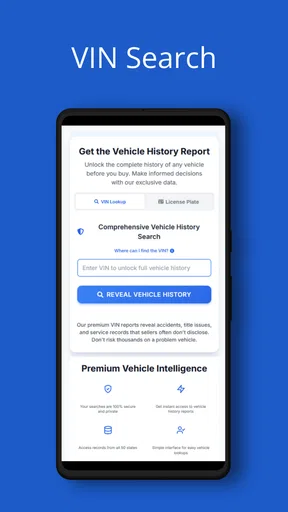
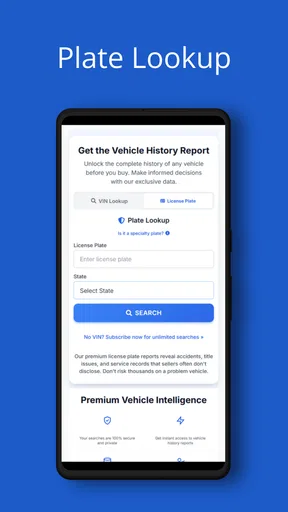
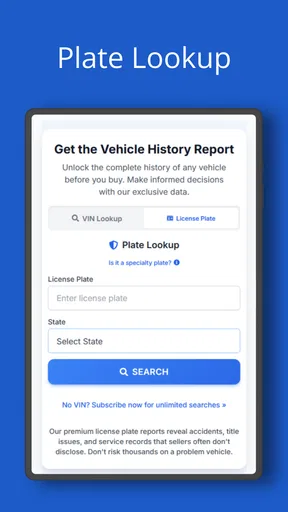
Now, let’s dive into what makes VIN Search & Plate Lookup shine. The app allows you to search for detailed information on any vehicle using either the VIN or the license plate number. For those not in the know, the VIN (Vehicle Identification Number) is like the car’s fingerprint, unique to every vehicle. This feature is perfect for anyone buying a used car, as it reveals everything from the car’s history to its current condition.
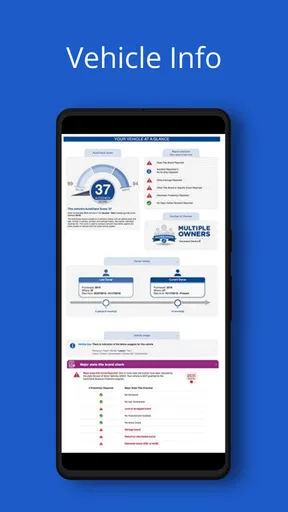
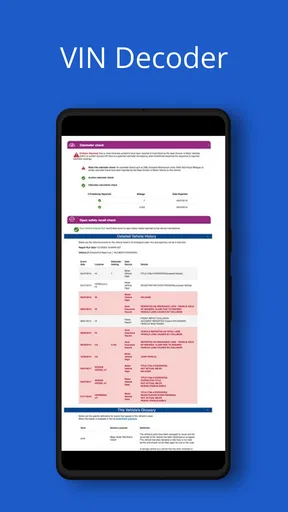
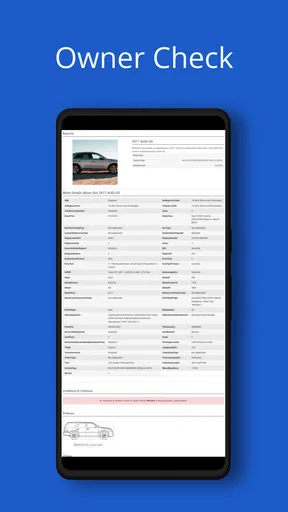
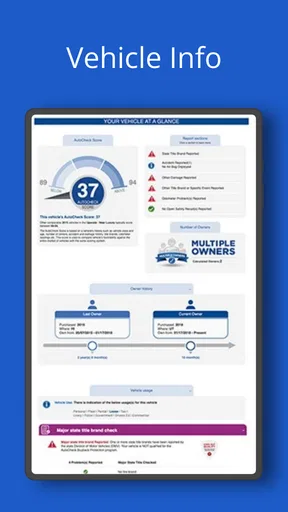
Some of the juicy details you can unearth include accident history, mileage, title information, and even past ownership records. It’s like peeling back the layers on a car’s past, letting you make more informed decisions. And the best part? You can do all this with just a few taps on your phone. Talk about convenience!
Network Matters When You Need an Answer
A lookup is most useful when the information arrives at the moment you need it, so I’d treat connectivity as part of the workflow rather than an afterthought. At a dealership, a strong mobile connection can make it practical to check a vehicle before getting drawn into a sales conversation. In a basement garage, a rural driveway, or a crowded lot with weak reception, the same search may be less convenient. I would enter the VIN or plate when the signal is steady and allow a little time to review the result rather than relying on an instant response in every location.
This is also why I wouldn’t wait until I was standing beside a seller to learn how the search works. If I had a specific vehicle in mind, I’d get comfortable with the input process beforehand and keep the VIN handy when possible. A VIN is generally the more direct identifier when it is available; a plate can be useful when that is what you can see, but it’s still worth checking that the result refers to the exact vehicle in front of you. Those small steps reduce avoidable friction when the decision feels time-sensitive.
Using the App in Real Life
So, how does it work in the real world? Let’s say you’re strolling through a car dealership or even just out for a walk and you spot a car that catches your eye. You whip out your phone, type in the plate number or scan the VIN, and boom! Within seconds, you've got a detailed report on the vehicle. It’s like having a personal car history expert with you at all times.
Worth Reading Before You Choose

EA SPORTS FC Mobile 26 Is a Bigger Football Game, but It Takes Time

Flipboard Shows What News Apps Must Do Beyond the Feed

Switching to Android Auto Means Rethinking Your Driving Routine

Google Calendar Makes a Crowded Week Easier to Manage

Ludo King Makes the Most of the Minutes Between Plans

Baby Panda World Brings Quick Play to Modern Phones, but Its Game Library Feels Busy
The app also shines when it comes to speed. The results are quick, and the information is well-organized, making it easy to digest. You’re not overwhelmed with details, but you get enough to paint a clear picture of the vehicle’s history. Plus, the user interface is intuitive, so even if you’re not particularly tech-savvy, you won’t find yourself lost.
Make a Lookup Part of a Careful Inspection
For a used-car visit, I’d use the app as one step in a larger check, not as a substitute for seeing the car or asking the seller questions. I’d compare identifying details on the report with the VIN displayed on the vehicle and on its paperwork, then note anything that doesn’t line up. If a report raises a concern about mileage, title details, or past damage, that is a reason to pause and investigate—not proof by itself that the seller has done something wrong. Records can have gaps, and a phone lookup cannot tell me how a vehicle feels on the road or what a mechanic will find.
A useful habit is to write down the exact question I want answered before opening a report. Am I checking that the vehicle description matches? Am I trying to spot a history issue before arranging an inspection? That keeps a quick search focused and makes it less tempting to treat a long report as a complete verdict. If the seller is present, I can ask about a specific discrepancy calmly and give them a chance to explain it.
Who Benefits Most—and Who May Prefer Another Route
This is most appealing to people who want a convenient first look at a vehicle’s background while they are away from a computer: used-car shoppers, owners checking details, and friends helping someone compare a listing. It can also save a trip when an early check gives you a reason to ask more questions before travelling to see a car. The app is free, and its Everyone age rating makes it broadly accessible, though the usefulness of a lookup depends on having the right identifier and a reason to check it.
It is less suited to someone who expects a phone report to replace a professional inspection, official paperwork, or direct confirmation from a seller. If I needed a formal record for a legal, insurance, or purchase decision, I’d check the relevant official source as well. A paid vehicle-history provider or a local specialist may be the better next step when I need a more comprehensive review or a documented process. This app is handy for screening; I wouldn’t make it the only basis for a major purchase.
When a Search Stalls, Keep the Next Step Simple
If a lookup takes longer than expected, I’d first check the connection and re-enter the identifier carefully rather than repeatedly submitting variations. VINs and plates are easy to mistype, especially when copied quickly or read from a photo. I’d compare each character with the vehicle itself, then try the other identifier if I have it. If a result appears incomplete or confusing, I’d avoid drawing a firm conclusion from it and verify the detail through another source before making a decision.
That approach matters because a failed or unclear result doesn’t necessarily tell you anything about the car. It may simply mean the identifier needs checking or the moment is not ideal for an online search. I’d save the vehicle details in my own notes and return to the lookup when I have a better connection, rather than letting a busy parking lot or a rushed conversation push me into a guess.
Why You Might Need This App
Whether you’re a car enthusiast, a potential buyer, or just someone curious about the vehicles around you, this app is a handy tool. It’s not just for those looking to buy a used car; it’s also great for those who want to check up on their own vehicle’s history or verify details about a car they’ve come across. Let’s face it, in today’s world, knowledge is power, and having this app gives you that extra edge.
I also found it super helpful for checking on vehicles for friends and family. You know how it goes—someone’s always asking for advice on a car they’re thinking of buying. Now, you can be the go-to person who has all the answers, thanks to VIN Search & Plate Lookup.
Use Vehicle Details Thoughtfully
Vehicle searches can involve information connected with ownership, so I’d keep my use tied to a practical reason, such as checking a car I’m considering or helping someone who has asked for advice. I wouldn’t treat a plate lookup as a way to investigate strangers or share identifying details casually. When I’m helping a friend, I’d discuss the result with them rather than forwarding personal information without context. That is a sensible boundary for any tool that makes vehicle details easier to access.
It also helps to separate what a record says from what it proves. A listed event can guide follow-up questions, while a clean-looking result should not be mistaken for a guarantee that a car has never had a problem. I’d combine the lookup with a close inspection, service documents, a test drive, and independent advice when the stakes are high. That extra care is more useful than expecting one search to settle every question.
What to Expect from a Young Utility App
VIN Search is a free Auto & Vehicles app from PublicRecords. It has an average rating of 3.9 from around 95 ratings, with over 10,000 installs and 61 reviews. The app was released on July 23, 2025, and version 1.0.2 requires Android 6.0 or later. Those figures suggest a modest footprint rather than a long-established vehicle research service, so I’d judge it by whether its searches help with my particular task, not by assuming it covers every record or every situation.
Compared with the usual alternatives, the main appeal is having a quick lookup in a mobile app instead of beginning with a desktop search or calling around for basic vehicle details. That convenience is valuable when I’m already beside the car. The trade-off is that a compact app is better viewed as a first filter than as a full buying service. If I’m comparing several cars carefully, I’d keep notes outside the app and use the same checks for each one; that makes the differences easier to compare and keeps one dramatic report from dominating my judgement.
Final Thoughts
All in all, the VIN Search & Plate Lookup app is a solid choice for anyone looking to dig up information on vehicles quickly and efficiently. It’s easy to use, packed with useful features, and offers a wealth of information at your fingertips. Whether you’re in the market for a new car or just want to be in the know about the vehicles around you, this app is definitely worth checking out. Go ahead, give it a whirl, and see what secrets you can uncover!
My practical verdict is that it works best when I have a specific vehicle to check, a reliable connection, and enough time to treat the result as a starting point. I’d choose it for an initial screen on the go, then turn to an inspection or a more authoritative source if the purchase matters. If that balance suits you, it’s a useful tool to keep in mind; if you need definitive documentation or a complete mechanical assessment, another route should lead the decision.
Pros
- Comprehensive vehicle history reports.
- User-friendly interface for easy navigation.
- Quick VIN and license plate search results.
- Accurate and up-to-date information.
- Supports both Android and iOS platforms.
Cons
- Requires stable internet connection.
- Some features may require in-app purchases.
- Occasional ads can be distracting.
- Limited to certain regions or countries.
- Can be slow on older devices.
FAQs for VIN Search & Plate Lookup
What features does the VIN Search & Plate Lookup app offer?
The VIN Search & Plate Lookup app provides users with the ability to access detailed vehicle history reports using just the vehicle identification number (VIN) or license plate information. Key features include accident history, title status, odometer readings, and previous ownership details. This can help users make informed decisions when buying or selling a vehicle.
Is the VIN Search & Plate Lookup app free to use?
The app offers a free version with basic features, such as general vehicle information. However, for more comprehensive reports, including detailed history and title checks, users may need to purchase a premium version or pay per report. Be sure to check the app's pricing details in the app store before downloading.
How accurate is the information provided by the app?
The accuracy of the VIN Search & Plate Lookup app depends on the data sources it uses. It typically aggregates information from national databases, insurance records, and government sources. While generally reliable, discrepancies can occur. It's advisable to cross-reference the information with other sources or consult a professional when making significant decisions.
Can I use this app for any vehicle in any location?
The VIN Search & Plate Lookup app is designed to work with vehicles registered in the United States, but it may also provide data for certain international vehicles. Coverage can vary based on the availability of records in different regions. Confirm compatibility with the app’s specifications if you are looking for information on non-U.S. vehicles.
Is my data secure when using the VIN Search & Plate Lookup app?
User privacy and data security are top priorities for the VIN Search & Plate Lookup app. The app employs encryption technologies to protect personal information during data transmission. However, users should review the app’s privacy policy to understand what data is collected and how it is used, ensuring their comfort with the app’s practices.


